

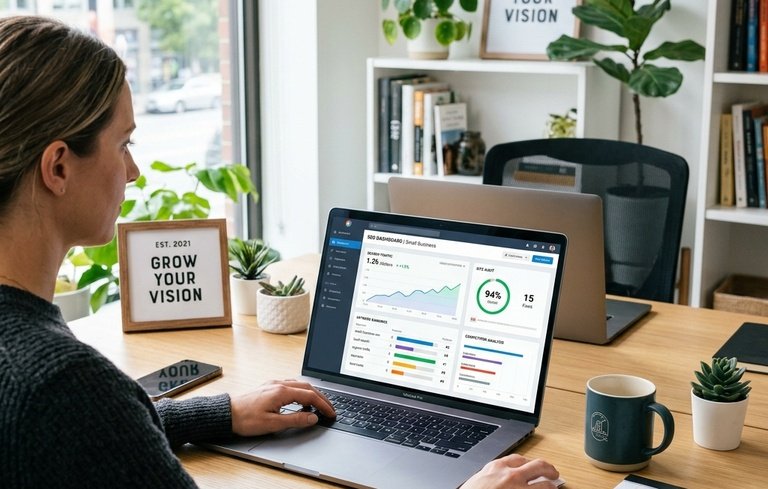
The best SEO tools for small businesses include Semrush, Ahrefs, Google Search Console, Google Analytics, Ubersuggest, Moz Pro, Screaming Frog, Yoast SEO, Google Keyword Planner, and BrightLocal. Start with free tools like Google Search Console and Google Analytics, then upgrade to paid software as your business and budget grow.
Running a small business means wearing a hundred hats at once, and adding “SEO expert” to the pile can feel overwhelming! But here’s the exciting part: with the right SEO tools for small businesses, you can boost your website’s visibility, climb the search rankings, and attract more customers without needing a huge marketing team or budget.
Search engine optimization helps your website show up when people search for the products or services you offer. Think about it: when someone types “coffee shop near me” or “affordable bookkeeping services,” you want your business to appear at the top of those results. That’s exactly what SEO does, and the good news is you don’t have to do it all by hand.
SEO tools take the guesswork out of the process. They help you find the right keywords, track your rankings, spot technical issues, and see what your competitors are up to. Many even offer free versions that pack a serious punch for cash-strapped business owners.
In this guide, we’ll walk through the 10 best SEO tools for small business owners, explore what to look for when choosing one, and help you decide whether free or paid software is right for you. Let’s dive in!
What Should Small Businesses Look for in an SEO Tool?
Before you pick a tool, it helps to know what actually matters for a growing business. Not every feature is essential, and some flashy extras just add cost without adding value. Here’s what to prioritize.
Ease of use. You’re busy, and you don’t have time to learn complicated software. Look for a tool with a clean dashboard and clear instructions. The best SEO tools for small business owners feel intuitive from day one.
Pricing and affordability. Budget matters. Some tools cost hundreds of dollars a month, while others are completely free. Choose something that fits your finances without stretching them thin.
Keyword research capabilities. Keywords are the foundation of SEO. A good tool shows you which search terms your customers use, how competitive they are, and how much traffic they could bring.
Competitor analysis. Wouldn’t it be handy to see what’s working for your rivals? Competitor analysis reveals the keywords they rank for and the backlinks they’ve earned, giving you ideas to steal (in the nicest possible way!).
Website SEO audits. These scan your site for problems, such as slow pages, broken links, or missing tags, that could hurt your rankings.
Rank tracking. This shows where your pages sit in search results over time, so you can see whether your efforts are paying off.
Keep these six features in mind as we explore each tool. Now, let’s meet the contenders!
1. Semrush
Semrush is one of the most popular all in one SEO platforms, and for good reason. It bundles keyword research, competitor analysis, site audits, and rank tracking into a single, powerful dashboard.
Key features. Semrush lets you dig into keyword data, spy on competitors, audit your website, and track your rankings all from one place. Its Keyword Magic Tool alone offers access to billions of keywords, making it a favorite for content planning.
Benefits for small businesses. If you want one tool that does almost everything, Semrush delivers. It’s especially useful if you’re serious about content marketing and want to outrank bigger competitors.
Pricing Plan – https://www.semrush.com/pricing/seo-ai-search/
2. Ahrefs
Ahrefs built its reputation on one of the largest backlink databases in the industry. If understanding your link profile and your competitors’ matters to you, this is a standout choice.
Keyword research. Ahrefs offers a robust keyword explorer that reveals search volume, difficulty scores, and clickthrough estimates. It helps you find keywords you can realistically rank for.
Backlink analysis. This is where Ahrefs truly shines. You can see who links to your site, who links to your competitors, and where new link opportunities might be hiding.
Competitor research. Curious how a rival gets so much traffic? Ahrefs breaks down their top pages, keywords, and backlinks, handing you a blueprint to follow.
Pricing Plan – https://ahrefs.com/pricing
3. Google Search Console
Here’s a treat: Google Search Console is completely free, and it comes straight from the source! Every small business owner should set this up the moment they launch a website.
Search performance tracking. See exactly which queries bring people to your site, how many clicks you get, and where you rank for each term. It’s real data, straight from Google.
Keyword and ranking insights. Discover which keywords you already rank for, even ones you didn’t target on purpose. These insights often reveal surprising opportunities.
Technical SEO monitoring. Search Console flags issues like crawling errors, mobile usability problems, and indexing troubles, so you can fix them fast.
If you only use one free SEO tool, make it this one. It’s essential, reliable, and won’t cost you a cent.
4. Google Analytics
Another free gift from Google, Google Analytics tells you what happens after someone lands on your site. While Search Console covers search performance, Analytics covers user behavior.
Website traffic analysis. Find out how many visitors you get, where they come from, and which pages they love most. You can even separate organic search traffic from other sources.
User behavior tracking. See how long people stay, which pages they visit, and where they drop off. This helps you improve pages that aren’t performing.
Measuring SEO performance. By tracking organic traffic over time, you can tell whether your SEO efforts are actually driving results. Numbers don’t lie!
Pair Google Analytics with Search Console and you’ve got a powerful, totally free foundation for measuring your SEO success.
5. Ubersuggest
Created by marketing expert Neil Patel, Ubersuggest is one of the most affordable SEO tools for small businesses. It offers a friendly interface and a generous free tier.
Keyword research. Type in a word or phrase and Ubersuggest serves up keyword ideas, search volumes, and difficulty scores. It’s beginner friendly and quick to use.
Competitor analysis. Enter a competitor’s website and see which keywords and pages drive their traffic. Great for spotting gaps in your own strategy.
Content ideas. Ubersuggest suggests blog topics and content ideas based on what’s already popular in your niche. Perfect for beating writer’s block!
Pricing Plan – https://app.neilpatel.com/en/pricing
6. Moz Pro
Moz has been a trusted name in SEO for years, and Moz Pro packs a well rounded toolkit into an approachable package. It’s known for its beginner friendly resources and helpful community.
Keyword research. Moz’s keyword explorer provides search volume, difficulty, and a handy “priority” score that blends several metrics into one easy number.
Rank tracking. Monitor your positions across search engines and watch how they shift over time. Moz makes progress easy to visualize.
Site audits. Moz Pro crawls your website and highlights issues that could be holding you back, then suggests how to fix them.
Pricing Plan – https://moz.com/products/pro/pricing
7. Screaming Frog SEO Spider
Don’t let the quirky name fool you: Screaming Frog SEO Spider is a serious tool for technical SEO. It crawls your website much like a search engine does, uncovering issues you might never spot manually.
Technical SEO audits. Screaming Frog examines page titles, meta descriptions, headings, and more, flagging anything that needs attention.
Broken link detection. Broken links frustrate visitors and hurt your rankings. This tool finds them fast so you can repair them.
Website crawling. Get a clear map of your site’s structure, spot duplicate content, and identify pages that search engines might struggle to reach.
Screaming Frog offers a free version that crawls up to 500 URLs, which is plenty for most small websites. The paid license costs around 259 dollars per year for unlimited crawling.
8. Yoast SEO
If your website runs on WordPress, Yoast SEO is a near essential plugin. It guides you through optimizing each page and post, right inside your editor.
On page SEO optimization. Yoast gives you real time feedback as you write, using a simple traffic light system to show what’s working and what needs improvement.
Meta titles and descriptions. Easily craft the titles and descriptions that appear in search results, complete with a preview of how they’ll look.
Content readability. Yoast checks your writing for readability, flagging long sentences, passive voice, and dense paragraphs. Your readers will thank you!
Yoast SEO offers a free version that covers the basics beautifully. The premium version, around 99 dollars per year, adds features like internal linking suggestions and multiple keyword targeting.
9. Google Keyword Planner
Yet another free tool from Google, Keyword Planner lives inside Google Ads but works wonderfully for organic SEO research too. It’s a goldmine for keyword discovery.
Keyword discovery. Enter a topic and Keyword Planner suggests related terms your customers might search for. Simple and effective.
Search volume insights. See roughly how many people search for each keyword every month, helping you prioritize the ones worth targeting.
Finding relevant business keywords. Because the data comes straight from Google, you get realistic insight into what your local and niche audiences actually type.
You’ll need a free Google Ads account to use it, but you don’t have to run any paid ads. It’s a smart, free option for building your keyword list.
10. BrightLocal
For businesses that serve a specific area, such as restaurants, salons, and repair shops, BrightLocal is a specialist tool built entirely around local SEO.
Local SEO tracking. BrightLocal monitors how you rank in local searches and on Google Maps, so you know exactly where you stand in your neighborhood.
Local rankings. Track your position for location specific keywords and compare yourself against nearby competitors.
Citation and reputation management. Manage your business listings across directories and keep an eye on reviews, which are huge for local trust and rankings.
BrightLocal plans start around 39 dollars per month, with a free trial available. If most of your customers come from your local area, this tool is a smart investment.
Free vs. Paid SEO Tools for Small Businesses: Which Is Right for You?
One of the biggest questions small business owners face is whether to spend money on SEO software at all. The honest answer? It depends on where you are in your journey.
When free tools are enough. If you’re just starting out, free SEO tools for small businesses can carry you a long way. Google Search Console, Google Analytics, and Google Keyword Planner together give you keyword ideas, performance data, and technical insights, all at zero cost. Add the free versions of Ubersuggest or Yoast SEO, and you have a solid setup for a brand new website.
When investing in paid tools makes sense. As your business grows, so do your SEO ambitions. Paid tools like Semrush, Ahrefs, and Moz Pro unlock deeper data, richer competitor insights, and time saving automation. If SEO drives meaningful revenue for you, or you’re competing in a crowded market, a paid tool often pays for itself.
Best approach for a limited SEO budget. Start free, then upgrade strategically. Master the free tools first so you understand your data and needs. When you hit their limits, pick one affordable paid tool that fills your biggest gap rather than subscribing to several at once. This keeps costs down while still moving you forward.
How to Choose the Best SEO Tool for Your Small Business
With so many great options, how do you actually decide? Follow these four steps and you’ll land on the right fit.
Define your SEO goals. Do you want more local customers, higher rankings, or more blog traffic? Choose BrightLocal if local visibility matters most, or Semrush if content and competitor research top your list. Your goals point you to the right tool.
Consider your budget. Be realistic about what you can spend each month. There’s no shame in starting with free tools, and there’s no rush to buy the priciest option. Match the tool to your wallet.
Check required features. Make a short list of must have features, such as rank tracking or site audits, then compare tools against it. Don’t pay for bells and whistles you’ll never use.
Choose tools that can scale with your business. Pick software that grows with you. Semrush, Ahrefs, and Moz Pro all offer tiered plans, so you can start small and upgrade as your needs expand. This saves you the hassle of switching tools later.
Start Small, Grow Steady, and Keep Optimizing
There you have it: the 10 best SEO tools for small businesses, from powerhouse platforms like Semrush and Ahrefs to essential free options like Google Search Console, Google Analytics, and Google Keyword Planner. Each one brings something valuable to the table, whether it’s keyword research, competitor spying, technical audits, or local rankings.
Our advice? Start with the essential free tools first. They cost nothing, teach you the fundamentals, and reveal exactly where your website stands. Once you outgrow them, invest in one affordable paid tool that tackles your biggest challenge, then scale up as your results and budget grow.
SEO isn’t a one and done task, though. Search engines change, competitors shift, and customer habits evolve. Check your rankings regularly, keep your content fresh, and stay curious about new opportunities. With consistent effort and the right tools by your side, your small business can climb the search results and reach the customers who are already looking for you. Happy optimizing!
Frequently Asked Questions
What is the best free SEO tool for small businesses?
Google Search Console is the best free SEO tool for small businesses. It shows which search queries bring visitors to your site, tracks your rankings, and flags technical problems, all directly from Google at no cost. Pair it with Google Analytics for a complete free setup.
How much do SEO tools for small businesses cost?
SEO tools range from completely free to premium. Google Search Console, Google Analytics, and Google Keyword Planner are free. Affordable paid options like Ubersuggest start around 12 dollars per month, while premium platforms like Semrush and Ahrefs start around 100 to 130 dollars per month.
Do I need to pay for SEO software as a small business?
Not necessarily. Many small businesses succeed using only free SEO tools, especially when starting out. Paid software becomes worthwhile once SEO drives significant revenue, you compete in a crowded market, or you need deeper competitor and keyword data than free tools provide.
Which SEO tool is best for local businesses?
BrightLocal is the best SEO tool for local businesses. It tracks local search rankings, monitors your position on Google Maps, and manages your business listings and reviews across directories, all of which are crucial for attracting nearby customers.
How long does it take to see results from SEO?
SEO is a long term strategy, and most businesses see meaningful results within three to six months. Factors like competition, content quality, and website age all affect timing. Consistent optimization and regular monitoring speed up progress over time.