
The best AI tools in 2026 include ChatGPT for general use, Claude for long-form writing, Perplexity for research, GitHub Copilot for coding, Canva AI for design, and Runway for video creation. The right tool depends on your goals, budget, and workflow. Many offer capable free plans before you commit to paying.
AI tools have moved well past the “experimental” phase. Professionals use them to draft reports, debug code, generate visuals, and run research, all before lunch. Students lean on them for note-taking, essay planning, and concept explanations. Businesses automate repetitive tasks, cut costs, and speed up content pipelines with them. The question is no longer whether to use AI tools, but which ones are actually worth your time.
That’s where things get complicated. The market is crowded. New tools launch constantly, pricing changes frequently, and the gap between a genuinely useful AI platform and a mediocre one is enormous. This guide cuts through the noise.
Below, you’ll find a detailed breakdown of the best AI tools for 2026, organized by use case, pricing, and key features, so you can find the right fit without wasting hours testing tools that don’t deliver.
What Are AI Tools, and Why Do They Matter in 2026?
AI tools are software applications powered by artificial intelligence, typically large language models (LLMs), image generation models, or multimodal systems, that help users complete tasks faster and more effectively.
Common use cases include:
- Writing and editing: drafting content, summarizing documents, improving clarity
- Research: finding information, citing sources, synthesizing data
- Coding: writing, reviewing, and debugging code
- Design: generating images, layouts, and presentations
- Video creation: producing and editing video content with AI
- Productivity: automating workflows, managing tasks, and organizing information
The productivity gains are real. According to a 2024 McKinsey report, generative AI tools can reduce the time spent on knowledge work tasks by up to 40%. For businesses, that translates directly to cost savings and faster output. For individuals, it means more time for high-value thinking.
Best AI Tools in 2026 – Quick Comparison
| AI Tool | Best For | Free Plan | Paid Plan | Key Feature |
|---|---|---|---|---|
| ChatGPT | General use | Yes | https://chatgpt.com/pricing | Versatile LLM with plugins |
| Google Gemini | Google ecosystem | Yes | https://gemini.google/subscriptions/ | Deep Google app integration |
| Claude | Writing and long docs | Yes | https://claude.com/pricing | 200K token context window |
| Microsoft Copilot | Microsoft 365 users | Yes | https://www.microsoft.com/en-us/microsoft-365-copilot/pricing | Office app integration |
| Perplexity | Research | Yes | https://www.perplexity.ai/hub/pricing | Real-time cited answers |
| Canva AI | Design and content | Yes | https://www.canva.com/en/pricing/ | AI image and presentation tools |
| GitHub Copilot | Coding | Limited | https://github.com/features/copilot/plans | In-editor code suggestions |
| Runway | AI video creation | Yes | https://runway.com/pricing | Text-to-video generation |
Best AI Tools for 2026
ChatGPT: Best Overall AI Assistant
Developed by OpenAI, ChatGPT remains the most widely used AI assistant in 2026. It handles everything from drafting emails to writing code, analyzing data, and generating creative content.
Key features: Multimodal inputs (text, images, files), GPT-4o model, custom GPTs, memory, and web browsing.
Best use cases: Content creation, customer support, research summaries, coding assistance, and general Q&A.
Pros: Extremely versatile, large plugin ecosystem, strong reasoning capabilities.
Cons: Can produce confident-sounding but inaccurate responses; requires human review.
Google Gemini: Best for the Google Ecosystem
Google Gemini is Google’s flagship AI assistant, deeply integrated with Gmail, Docs, Drive, and Search. For anyone already living inside Google Workspace, Gemini provides a seamless AI layer across every tool.
Key features: Native Google app integration, real-time information access, multimodal capabilities.
Best use cases: Summarizing emails, drafting in Google Docs, searching with AI in Google Search, and managing Google Calendar.
Pros: Excellent for Google-heavy workflows, strong search integration.
Cons: Less effective outside the Google ecosystem; some features require a paid plan.
Claude: Best for Writing and Long Documents
Built by Anthropic, Claude stands out for its ability to handle extremely long documents, up to 200,000 tokens in context. That’s roughly 150,000 words, making it uniquely suited for legal documents, research papers, and book-length projects.
Key features: Extended context window, strong writing quality, nuanced reasoning, safety-focused design.
Best use cases: Editing long-form content, summarizing lengthy PDFs, writing detailed reports, and nuanced creative writing.
Microsoft Copilot: Best for Microsoft Users
Microsoft Copilot is embedded directly into Microsoft 365 apps including Word, Excel, PowerPoint, Outlook, and Teams. Rather than switching to a separate AI tool, users get AI assistance inside the software they’re already using.
Key features: In-app AI suggestions across Office apps, meeting summaries in Teams, Excel data analysis, and email drafting in Outlook.
Best use cases: Automating Office workflows, generating PowerPoint presentations, summarizing meeting notes, and analyzing spreadsheet data.
Perplexity: Best for AI-Powered Research
Perplexity AI operates differently from most AI chatbots. Rather than relying solely on training data, Perplexity searches the web in real time and delivers cited, sourced answers. This makes it far more reliable for research tasks where accuracy and source transparency matter.
Key features: Real-time web search, inline citations, follow-up questions, and focused search modes.
Best use cases: Academic research, fact-checking, market research, and keeping up with current events.
Canva AI: Best for Design and Content Creation
Canva has evolved from a simple design tool into a comprehensive AI-powered creative platform. Its suite of AI features, including text-to-image generation, AI-powered presentation creation, and background removal, makes professional-quality design accessible without design experience.
Key features: AI image generation, Magic Design, text-to-presentation, AI-assisted video editing, and brand kits.
Best use cases: Social media graphics, marketing materials, presentations, and short-form video content.
GitHub Copilot: Best for Coding
GitHub Copilot, developed by GitHub and powered by OpenAI models, provides real-time code suggestions directly inside code editors like VS Code. It dramatically accelerates development workflows by autocompleting functions, suggesting entire code blocks, and catching bugs.
Key features: In-editor code suggestions, multi-language support, GitHub integration, and natural language to code.
Best use cases: Software development, code review, learning new programming languages, and debugging.
Runway: Best for AI Video Creation
Runway is leading the AI video generation category in 2026. Its Gen-3 Alpha model enables users to generate, edit, and enhance video from text prompts or image inputs, capabilities that were science fiction just a few years ago.
Key features: Text-to-video, image-to-video, AI video editing, motion brush, and green screen tools.
Best use cases: Short-form marketing video, creative content production, social media video, and film pre-visualization.

Best Free AI Tools in 2026
| Category | Best Free Tool |
|---|---|
| AI Assistant | ChatGPT (free tier) |
| Writing | Claude (free tier) |
| Image Generation | Canva AI (free tier) |
| Research | Perplexity (free tier) |
| Coding | GitHub Copilot (free for students) |
| Design | Canva (free tier) |
Most leading AI tools offer free tiers capable enough for light to moderate use. If you’re an individual user or just getting started, you can build a solid AI workflow without spending a dollar.
Best Paid AI Tools in 2026
Upgrading to paid plans makes sense when:
- You need higher usage limits or faster response times
- Your work depends on accuracy and reliability
- You’re running a business or managing a team
- You need advanced features like API access, fine-tuning, or priority support
Best for professionals: ChatGPT Plus or Claude Pro for writing-heavy workflows; GitHub Copilot for developers.
Best for businesses: Microsoft 365 Copilot for enterprise teams; Canva Pro for marketing teams.
Best for content creators: Canva Pro, Runway, and ChatGPT Plus together form a strong content production stack.
Best AI Tools by Use Case
- Writing: ChatGPT, Claude
- Research: Perplexity
- Productivity: ChatGPT, Google Gemini
- Coding: GitHub Copilot
- Design: Canva AI
- Video: Runway
- Business: ChatGPT, Microsoft Copilot
- Students: ChatGPT, Google Gemini
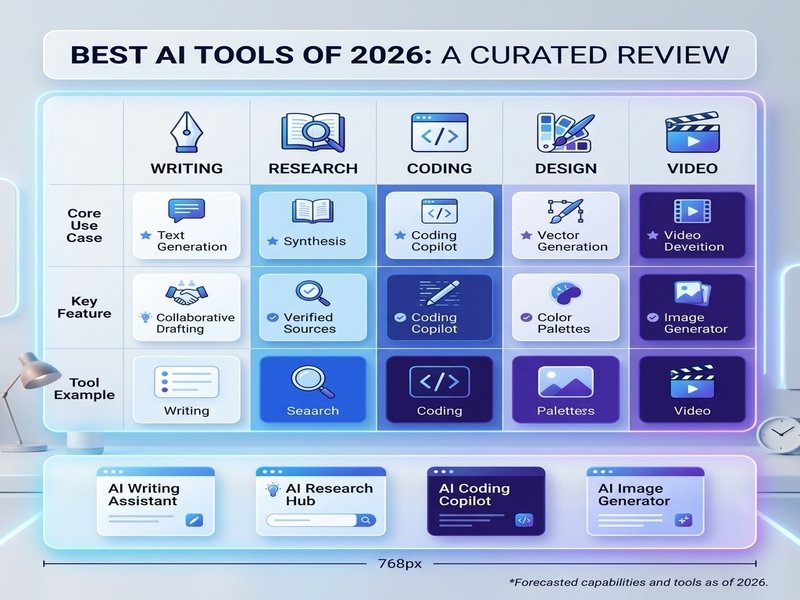
[Image placement: Use-case matrix graphic at 768x489px with categorized icons for each tool]
Free vs. Paid AI Tools: Which Should You Choose?
Choose free tools when: You’re an individual user with moderate needs, you’re testing a tool before committing, or you’re a student with access to free tiers through educational programs.
Upgrade when: Your work depends on AI daily, you’re hitting usage limits on free plans, or the productivity gains clearly outweigh the subscription cost. A $20/month ChatGPT Plus plan, for example, quickly pays for itself if it saves even two hours of work per week.
For businesses, the calculation shifts further toward paid tools. Team features, admin controls, and data privacy policies in paid enterprise tiers make them a practical necessity.
How to Choose the Right AI Tool
Six questions to ask before committing:
- What is your primary goal? Writing, research, coding, design, and video each have specialized tools that outperform generalists.
- What features do you actually need? Avoid paying for features you won’t use.
- What’s your budget? Most tools cost $10 to $20/month. Factor in how many tools you’ll stack.
- How sensitive is your data? Review each tool’s privacy policy before inputting confidential information.
- Does it integrate with your existing workflow? Google Gemini works best in Google Workspace; Microsoft Copilot in Microsoft 365.
- Have you tested the free version? Every tool on this list offers a free tier or trial. Start there.
Are AI Tools Worth Paying for in 2026?
For most professionals and businesses, yes, with caveats.
The productivity gains are well-documented. Faster content drafting, automated research, and code assistance reduce hours spent on lower-value tasks. For a freelancer billing hourly, that directly increases earning potential. For a business, it reduces operational costs.
The limitations are real, too. AI tools hallucinate. They sometimes produce confident but incorrect information. They’re not a substitute for expert judgment. Output quality varies depending on how well you prompt the system. And subscription costs add up quickly if you’re stacking multiple tools.
The best approach: be selective. Identify one or two tools that directly address your biggest time drains, test the free versions, and only upgrade when the value is demonstrably clear.
AI Tools: Benefits and Limitations
Benefits:
- Save significant time on repetitive writing, research, and design tasks
- Improve content quality and consistency at scale
- Generate ideas quickly, reducing creative blocks
- Automate workflows that previously required manual effort
Limitations:
- AI-generated content can include factual errors and requires human review
- Privacy risks if sensitive data is entered into third-party platforms
- Subscription costs stack quickly across multiple tools
- Output quality depends heavily on input quality (prompt skill matters)
Final Verdict: Best AI Tools for Every Need
- Best overall AI tool: ChatGPT
- Best free AI tool: ChatGPT (free tier) or Perplexity
- Best AI tool for business: Microsoft Copilot
- Best AI tool for students: Google Gemini or ChatGPT
- Best AI tool for content creators: ChatGPT + Canva AI
- Best AI tool for coding: GitHub Copilot
Frequently Asked Questions
What is the best AI tool in 2026?
ChatGPT remains the best all-around AI tool in 2026. It handles writing, research, coding, image generation, and data analysis within a single platform. For specific use cases like research or video creation, Perplexity and Runway outperform it in their respective categories.
What are the best free AI tools in 2026?
The best free AI tools in 2026 include ChatGPT (free tier), Google Gemini, Claude (free tier), Perplexity, and Canva AI. Each offers meaningful functionality without a subscription.
Which AI tool is best for students?
ChatGPT and Google Gemini are the best AI tools for students. Both offer free plans, handle research and writing tasks well, and integrate with tools students already use. GitHub Copilot is also free for verified students and is the top choice for those studying computer science.
Which AI tool is best for business?
Microsoft Copilot is the best AI tool for businesses already using Microsoft 365, providing AI assistance directly inside Word, Excel, Outlook, and Teams. ChatGPT and Google Gemini are strong alternatives for broader business use.
Are paid AI tools worth it in 2026?
Paid AI tools are worth it for professionals and businesses that use AI daily. The productivity gains, including faster content, automated tasks, and higher usage limits, typically outweigh the $10 to $20/month cost. Individual users with lighter needs can often rely on free plans.
What is the best AI tool for content creation?
ChatGPT and Claude are the best AI tools for written content creation. For visual content, Canva AI leads for design and graphics. For AI-generated video, Runway is the top platform in 2026.
What is the best AI tool for research?
Perplexity is the best AI tool for research in 2026. Unlike most AI chatbots, Perplexity searches the web in real time and provides inline citations, making it significantly more reliable for fact-based research tasks.
Which AI tools are completely free to use?
ChatGPT, Google Gemini, Claude, Perplexity, Canva AI, and Microsoft Copilot all offer free tiers with no credit card required. GitHub Copilot is free for verified students and select open-source contributors.
Comments