SEO for small businesses is the process of optimizing your website and online presence so your business appears higher in Google search results. Done right, small business SEO drives consistent organic traffic, builds trust with potential customers, and generates leads without relying on paid ads.
Most people turn to Google before they buy anything. A new restaurant. A local plumber. A gift idea. The search bar is where buying decisions begin, and if your small business is not showing up, you are handing customers to your competitors.
The good news? You do not need a massive marketing budget to rank on Google. With the right small business SEO strategy, you can compete with bigger brands, attract customers who are actively searching for what you offer, and grow your business organically over time.
This guide covers everything you need to know about search engine optimization for small business, from the basics to a simple month by month action plan.
What Is SEO for Small Businesses?
SEO stands for Search Engine Optimization. It is the process of improving your website and online presence so Google ranks you higher in search results when customers look for products or services like yours.
Google uses hundreds of ranking signals to decide which pages appear at the top. These include the relevance of your content, the quality of your website, your reputation online, and how other websites link to you.
Unlike paid advertising, SEO generates organic traffic. You are not paying for each click. Once your pages rank, they can attract customers consistently without ongoing ad spend. That is a major advantage for small businesses operating on tight budgets.
Small businesses can absolutely compete with larger companies. Especially in local searches, where proximity, relevance, and reputation matter more than brand size.
Why Is SEO Important for Small Businesses?
Here is why small business SEO matters:
- Increased visibility: More people find your business when searching online
- Targeted traffic: You attract customers who are actively looking for what you sell
- Organic growth: No need to pay for every click or impression
- Trust and credibility: High rankings signal authority to potential customers
- Long term results: SEO compounds over time, unlike paid ads that stop the moment your budget runs out
How Does SEO Help You Get More Customers From Google?
The customer journey looks like this: Google Search → Your Website or Google Business Profile → Lead or Sale.
When someone searches “best coffee shop near me” or “affordable web designer in Austin,” Google shows them results it believes are most relevant and trustworthy. If your business appears there, that person clicks through and learns about what you offer. If your website is clear, fast, and convincing, they become a customer.
The key is matching your content with search intent. Someone searching “emergency plumber Sydney” wants to call someone now. Someone searching “how to fix a leaky tap” wants information. Knowing the difference helps you create the right content for each stage of the buying journey.
Local SEO: The Most Important SEO Strategy for Many Small Businesses

If you serve customers in a specific area, local SEO is your biggest opportunity.
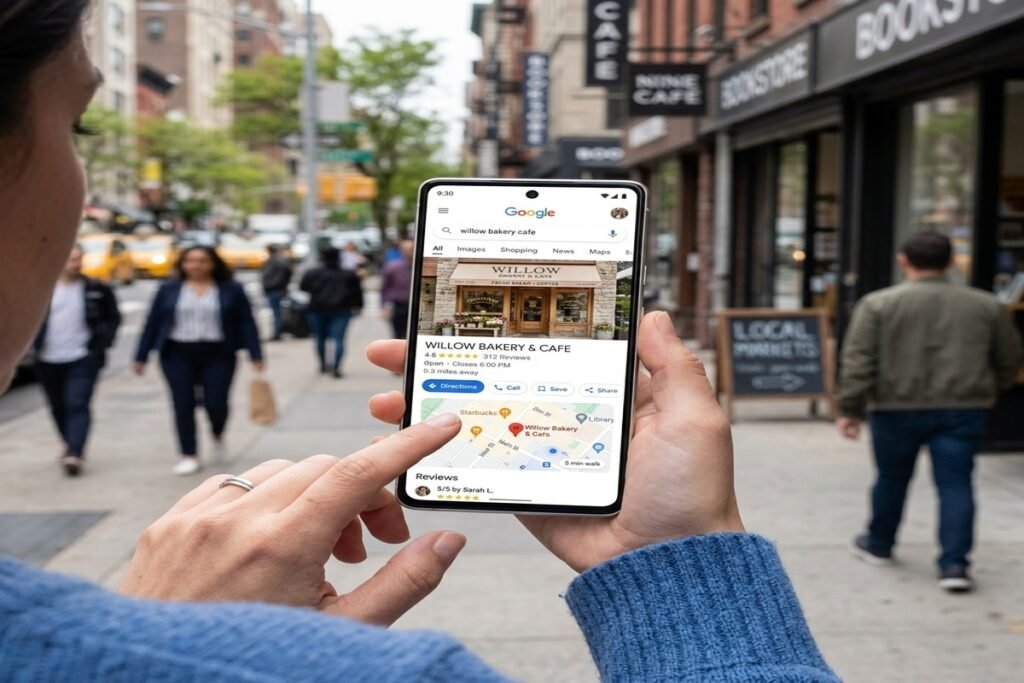
How Do You Create and Optimize Your Google Business Profile?
Your Google Business Profile (formerly Google My Business) is often the first thing people see when they search for your business. Optimize it by:
- Completing every section, including hours, address, website, and phone number
- Choosing the most relevant business categories
- Adding high quality photos of your location, team, and products
- Listing your products or services with descriptions and prices
- Keeping all information accurate and up to date
How Do Customer Reviews Impact Local SEO?
Reviews are a major ranking factor for local search. They build trust instantly. Encourage satisfied customers to leave reviews on Google by sending a follow up message or asking in person. Always respond to reviews, both positive and negative. A thoughtful response to a negative review can actually strengthen your reputation.
How Do You Optimize for “Near Me” Searches?
Use location based keywords throughout your website, such as “dental clinic in Brisbane” or “wedding photographer Melbourne.” Create dedicated location pages if you serve multiple areas. Make sure your name, address, and phone number are consistent across your website and all online directories.
What Are Local Citations and Why Do They Matter?
Local citations are mentions of your business on directories like Yelp, Yellow Pages, and industry specific listings. Consistent information across these platforms signals to Google that your business is legitimate and trustworthy.
Keyword Research for Small Businesses
Keywords are the words and phrases your customers type into Google. Choosing the right ones is foundational to any small business SEO strategy.
Short tail keywords like “digital marketing” are high volume but highly competitive. Long tail keywords like “digital marketing agency in Chennai” are more specific, easier to rank for, and attract customers who are closer to buying.
Focus on:
- Location based keywords: “electrician in Perth,” “yoga studio Brooklyn”
- Commercial keywords: “best accounting software for small business”
- Transactional keywords: “book a haircut online,” “buy handmade candles”
Free tools like Google Keyword Planner and Google Trends help you identify what your customers are actually searching for.
On Page SEO for Small Business Websites
Optimize Page Titles
Your page title appears in search results and browser tabs. Include your primary keyword and keep it under 60 characters.
Write Better Meta Descriptions
Meta descriptions appear below your page title in search results. Write a clear, compelling summary that includes your keyword and encourages clicks.
Use Keywords Naturally
Weave keywords into your content in a way that reads naturally. Do not force them. Google is smart enough to understand context.
Optimize Headings
Use H1 for your main page title, H2 for major sections, and H3 for subsections. Include keywords where they fit naturally.
Create SEO Friendly URLs
Keep URLs short, descriptive, and keyword rich. For example: yoursite.com/seo-for-small-businesses is better than yoursite.com/page?id=123.
Add Internal Links
Link to other relevant pages on your website. This helps Google understand your site structure and keeps visitors engaged longer.
Optimize Images
Compress images to improve load speed. Add descriptive alt text that includes relevant keywords where appropriate.
Create Helpful, Useful Content
Google rewards content that genuinely helps people. Write for your audience first, then optimize for search engines.
Create Content That Brings Customers From Google
Content is one of the most powerful tools in small business search engine optimization. Focus on:
- Service pages: Dedicated pages for each service you offer
- Location pages: Pages targeting specific cities or neighborhoods you serve
- Educational blog posts: Answer common questions your customers ask
- Comparison content: “X vs Y” articles that help buyers make decisions
- Problem solving content: Address pain points your customers face
Every piece of content should have a clear call to action, whether that is calling your business, filling out a form, or booking an appointment.
Technical SEO for Small Businesses
Technical SEO ensures Google can find, crawl, and index your website. Key areas to address:
- Mobile friendly design: Over 60% of searches happen on mobile devices (Statista, 2024)
- Page speed: Slow websites lose visitors fast. Use Google PageSpeed Insights to test yours
- HTTPS: A secure website builds trust and is a confirmed Google ranking signal
- XML sitemap: Helps Google discover and index your pages
- Broken links: Fix these regularly to avoid poor user experience
- Core Web Vitals: Google’s performance metrics that measure loading, interactivity, and visual stability
- Structured data: Schema markup helps Google understand your content and display rich results
How to Build Backlinks for a Small Business
Backlinks are links from other websites to yours. They signal authority and trust to Google. For small businesses, the best backlink sources include:
- Local business directories: Yelp, TripAdvisor, industry directories
- Local news websites: Sponsor events or contribute expert quotes
- Partnerships: Collaborate with complementary local businesses
- Guest contributions: Write articles for industry blogs or local publications
- Digital PR: Share newsworthy stories about your business
- Link worthy resources: Create guides, tools, or infographics others want to reference
Best SEO Tools for Small Businesses

These tools make Google SEO for small business much more manageable:
- Google Search Console: Monitor your search performance and fix technical issues
- Google Analytics: Track website traffic and user behavior
- Google Business Profile: Manage your local presence and reviews
- Google Keyword Planner: Find keywords your customers search for
- Google Trends: Spot seasonal search patterns and trending topics
- SEO keyword research tools: Platforms like Ahrefs, SEMrush, or Ubersuggest offer deeper keyword insights
- Website audit tools: Screaming Frog and Sitebulb help identify technical SEO issues
Common SEO Mistakes Small Businesses Should Avoid
Avoid these pitfalls:
- Keyword stuffing: Forcing keywords in unnaturally damages readability and rankings
- Targeting overly broad keywords: “Shoes” is unwinnable. “Handmade leather shoes Melbourne” is not
- Ignoring local SEO: A massive missed opportunity for location based businesses
- Copying competitors content: Duplicate content hurts your rankings
- Buying low quality backlinks: These can result in Google penalties
- Ignoring mobile optimization: Non mobile friendly sites rank lower and convert poorly
- Publishing content without search intent: Writing what you want to say, not what customers want to read
- Expecting immediate results: SEO takes time. Patience and consistency are essential
How Much Does SEO Cost for a Small Business?
SEO investment varies widely:
- DIY SEO: Free to low cost (your time is the main investment)
- Freelancer: Typically $500 to $2,000+ per month depending on scope
- Agency: Usually $1,000 to $5,000+ per month for comprehensive services
- Factors affecting cost: Website size, competition level, geographic market, current SEO health
The cheapest option is rarely the best. Low cost providers often cut corners or use outdated tactics that can harm your rankings. Focus on value, not price.
How Long Does SEO Take to Work for a Small Business?
Most small businesses start seeing meaningful results from SEO within 3 to 6 months. Some competitive markets take longer. Factors that influence timelines include:
- How competitive your industry and location are
- The current state of your website
- How consistently you publish new content and build backlinks
- The quality of your optimization efforts
Measure progress regularly using Google Search Console and Google Analytics. Look at organic traffic, keyword rankings, and leads generated, not just page views.
Simple SEO Strategy for Small Businesses
Here is a straightforward 3 month plan to get started:
Month 1: Conduct keyword research. Audit your website for technical issues. Optimize your Google Business Profile.
Month 2: Optimize your most important website pages. Create one or two pieces of useful content. Build local citations and directory listings.
Month 3: Start building backlinks through partnerships and local outreach. Improve underperforming existing content. Monitor keyword rankings and organic traffic. Adjust your approach based on what the data tells you.
How to Measure SEO Success
Track these metrics to understand what is working:
- Organic traffic (Google Analytics)
- Keyword rankings (Google Search Console)
- Google Business Profile views and clicks
- Phone calls from Google
- Form submissions and leads
- Conversion rate from organic traffic
- Organic revenue
Small Business SEO Checklist
Use this as your starting point:
- Set up and optimize Google Business Profile
- Research relevant short tail and long tail keywords
- Optimize page titles, meta descriptions, and headings
- Create dedicated service and location pages
- Publish helpful, search intent driven content
- Build quality backlinks from local and industry sources
- Request genuine customer reviews
- Improve website speed and Core Web Vitals
- Ensure your website is fully mobile friendly
- Track SEO performance monthly and adjust accordingly
Frequently Asked Questions About SEO for Small Businesses
What is SEO for small businesses?
SEO for small businesses is the process of optimizing a website and online presence to rank higher in Google search results. The goal is to attract more organic traffic from people searching for your products or services, ultimately converting them into customers without paying for ads.
Is SEO worth it for a small business?
Yes. SEO delivers long term, compounding results that paid advertising cannot match. Once your pages rank, they attract traffic consistently without ongoing spend. For small businesses with limited marketing budgets, SEO is one of the highest return investments available.
How can a small business rank higher on Google?
Focus on local SEO, create content that matches what your customers search for, optimize your website technically, and build quality backlinks. Consistency over time is more important than any single tactic.
How can I get more customers from Google?
Optimize your Google Business Profile, target local and long tail keywords, create service and location pages, collect customer reviews, and ensure your website converts visitors effectively with clear calls to action.
Is local SEO important for small businesses?
Absolutely. Local SEO is often the single most impactful strategy for small businesses. It helps you appear in “near me” searches and Google Maps results, connecting you with customers who are ready to buy in your area.
How long does small business SEO take?
Most businesses see meaningful results within 3 to 6 months. Competitive markets may take longer. Consistency is key. SEO rewards businesses that show up and put in the work month after month.
Can I do SEO myself?
Yes. Many small business owners successfully manage their own SEO, especially in the early stages. Free tools like Google Search Console, Google Analytics, and Google Keyword Planner make it accessible. As your business grows, bringing in a professional can accelerate results.
How much does small business SEO cost?
DIY SEO costs primarily time. Hiring a freelancer typically ranges from $500 to $2,000 per month. Agencies generally charge $1,000 to $5,000 or more depending on the scope of work. Always evaluate the value delivered, not just the price.
What are the best SEO tools for small businesses?
Google Search Console, Google Analytics, Google Business Profile, Google Keyword Planner, and Google Trends are all free and highly effective. Paid tools like Ahrefs, SEMrush, or Ubersuggest offer more advanced features for businesses ready to scale their SEO efforts.
SEO Is a Long Game – Start Playing It Now
SEO is not a quick fix. It is a long term customer acquisition strategy that builds real, sustainable momentum for your business.
Start with the basics: keyword research, Google Business Profile optimization, and improving your most important website pages. Add useful content. Build local credibility. Track what works and refine from there.
The businesses that win on Google are not always the biggest. They are the most consistent, the most helpful, and the most optimized for their customers’ needs.
Your customers are already searching. Let’s make sure they find you.
Comments